


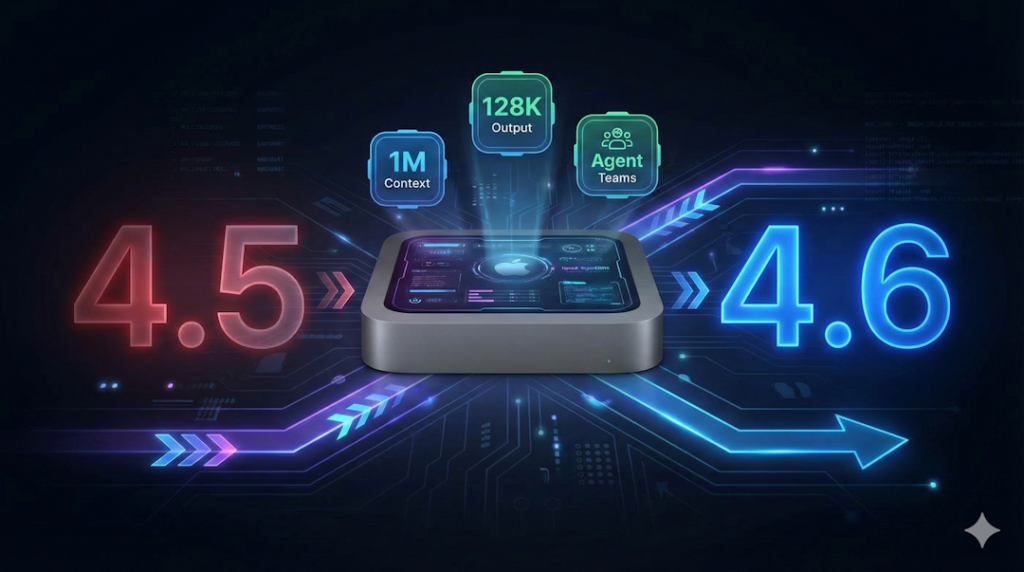
If you have been following my journey with AI, you know I run a 24/7 AI employee on a Mac mini. His name is Govind. He handles everything from email management to market research to code deployment.
Today, Anthropic released Claude Opus 4.6. And within 30 minutes of hearing about it from Alex Finn on Youtube, Govind was already running on the new model. Grateful to Alex for his timely and such helpful video!
Here is what changed, why it matters, and exactly how to do it yourself.
What Is Claude Opus 4.6?
Anthropic calls it their most capable model for enterprise and knowledge work. After spending the last few hours testing it, I agree. This is not an incremental update. This is a step change. This thing is massive!
CNBC described it as the beginning of a “vibe working” era, where AI shifts from answering simple questions to handling real, significant work autonomously.
Here are the headline upgrades:
1. One Million Token Context Window
The context window jumped from 200,000 tokens to 1,000,000 tokens. That is a 5x increase. This is the biggest relief for me and Govind both because now my chief-of-staff can talk to me without compacting of his brain and losing his memory for much much longer!
Why does this matter? The context window is your AI’s working memory. With 200K tokens, long conversations would get “compacted” and your AI would lose track of earlier context. With 1M tokens, your AI can hold entire project histories, massive documents, and long research sessions without forgetting.
For those running OpenClaw as an AI employee, this means fewer memory losses and more coherent long-term work.
2. 128,000 Token Output
Previously, output was capped at 64K tokens. Now it is doubled to 128K which is another massive upgrade!
This means your AI can generate entire course modules, complete technical documents, full code files, and detailed research reports in a single pass. No more “here is part 1, want me to continue with part 2?”
3. Agent Teams (This Is the Big One)
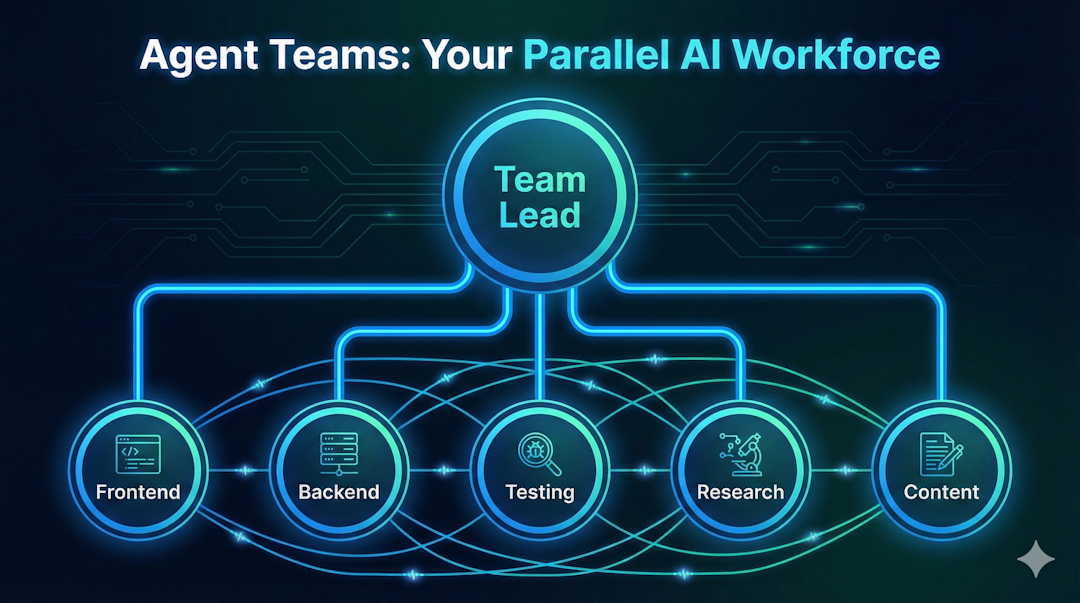

This is the feature that changes everything.
Claude Code can now spawn multiple AI agents that work together as a team. One agent acts as the team lead, coordinating work. The teammates work independently, each in their own context window, and they can communicate directly with each other.
Think about what this means. Instead of one AI doing tasks sequentially, you now have an entire AI workforce operating in parallel.
Need to build a web application? Spawn three agents. One handles the frontend. One handles the backend. One writes the tests. They coordinate with each other, share findings, and deliver a complete product.
Need to research a market opportunity? Spawn five agents. One analyzes competitors. One scans social media. One reads industry reports. One checks pricing models. One synthesizes everything into a strategy document. All at the same time.
100 agents. 100 tasks. 1 minute.
That is not a marketing slogan. That is the actual capability now available.
4. Improved Agentic Coding
Opus 4.6 scored 65.4% on Terminal Bench 2.0, up from 59.8% on Opus 4.5. It scored 72.7% on OSWorld (up from 66.3%), beating both GPT-5.2 and Gemini 3 Pro.
For those of us running AI employees that write and deploy code, this means fewer bugs, better debugging, and more autonomous task completion.
5. Better First-Try Quality
Anthropic specifically called out that documents, spreadsheets, and presentations need less back and forth on iterations. Box reported a 10% lift in performance on multi-source analysis. Harvey (legal AI) achieved a 90.2% score on BigLaw Bench.
The practical impact? Your AI delivers closer to production-ready work on the first attempt.
6. Same Price as Before – No Additional Cost!
All of this at the same cost as Opus 4.5: $5 per million input tokens, $25 per million output tokens. No price increase.
How I Upgraded My AI Employee (Step by Step)
If you are running OpenClaw on a Mac mini (or any machine), here is exactly how to upgrade to Opus 4.6.
Step 1: Find the Model Catalog
OpenClaw uses a model catalog file that lists all available AI models. Find it with this command:
find /opt/homebrew/lib/node_modules/openclaw -name “models.generated.js” -path “*pi-ai*”
This will return something like:
/opt/homebrew/lib/node_modules/openclaw/node_modules/@mariozechner/pi-ai/dist/models.generated.js
Step 2: Add the Opus 4.6 Model Entry
Open that file and search for “claude-opus-4-5”. You will find two entries. One with provider: “anthropic” and one with provider: “opencode”.
Add this block ABOVE each claude-opus-4-5 entry, matching the provider field:
“claude-opus-4-6”: {
id: “claude-opus-4-6”,
name: “Claude Opus 4.6 (latest)”,
api: “anthropic-messages”,
provider: “anthropic”,
baseUrl: “https://api.anthropic.com”,
reasoning: true,
input: [“text”, “image”],
cost: {
input: 5,
output: 25,
cacheRead: 0.5,
cacheWrite: 6.25,
},
contextWindow: 200000,
maxTokens: 64000,
},
For the second entry, use the same block but change the provider and baseUrl to match the opencode entry below it.
Step 3: Patch the Gateway Config
Use the OpenClaw gateway config patch to set the new model as your default:
{
“agents”: {
“defaults”: {
“model”: {
“primary”: “anthropic/claude-opus-4-6”
},
“models”: {
“anthropic/claude-opus-4-6”: {
“alias”: “opus”
}
}
}
}
}
Step 4: Cold Restart (Important!)
A hot reload will NOT pick up the catalog change. You need a full cold restart:
openclaw gateway stop && openclaw gateway start
Step 5: Verify
Check your session status to confirm you are running on claude-opus-4-6. You should see:
Model: anthropic/claude-opus-4-6
That is it. Five steps. Under 30 minutes.
How to Enable Agent Teams in Claude Code
Agent Teams is a Claude Code feature that is disabled by default. Here is how to turn it on:
Option 1: Settings File (Recommended)
Create or edit ~/.claude/settings.json:
{
“env”: {
“CLAUDE_CODE_EXPERIMENTAL_AGENT_TEAMS”: “1”
}
}
Option 2: Environment Variable
export CLAUDE_CODE_EXPERIMENTAL_AGENT_TEAMS=1
Using Agent Teams
Once enabled, you can create teams with natural language:
Create an agent team with 4 teammates:
– Frontend specialist
– Backend API developer
– Database architect
– QA and testing lead
Claude creates the team, spawns teammates, and coordinates the work. Each teammate operates independently in its own context window and can communicate directly with the others.
Display Modes: – In-process (default): All teammates run in your main terminal. Use Shift+Up/Down to switch between them. – Split panes: Each teammate gets its own pane. Requires tmux or iTerm2. Set with “teammateMode”: “tmux” in settings.json.
Pro Tips: – Use delegate mode (Shift+Tab) to keep the lead focused on coordination, not coding – Require plan approval for risky tasks: “Spawn an architect teammate. Require plan approval before changes.” – Talk to teammates directly by selecting them with Shift+Up/Down
The AI Employee Concept: Why This Matters
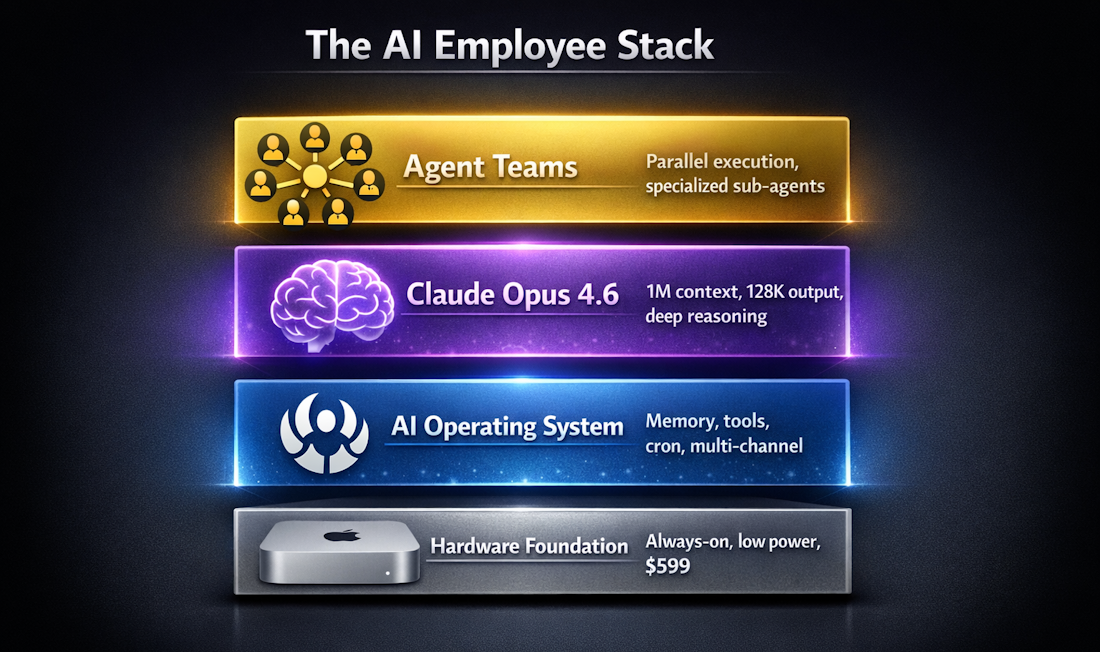

Let me paint the bigger picture.
I run a Mac mini 24/7. On it, OpenClaw operates as the operating system for my AI employee. Claude Opus 4.6 is the brain. And now, Agent Teams gives that brain the ability to manage an entire workforce.
Here is what my AI employee does on a typical day:
Before I wake up: – Checks email and flags urgent items – Scans the market for business opportunities – Generates a morning brief with priorities – Monitors weather for client projects
During work hours: – Researches competitors and market trends – Drafts content for LinkedIn, blog posts, and courses – Writes and deploys code – Manages client projects
After hours: – Continues research tasks – Organizes files and documentation – Prepares tomorrow’s agenda
With Agent Teams, each of these tasks can now run in parallel. My AI does not work harder. It works wider.
For Those Planning to Get OpenClaw
If you do not have OpenClaw yet but you are considering it, here is what you need:
- A dedicated machine (Mac mini recommended, but any Mac, Linux box, or Windows with WSL2 works)
- An Anthropic API key with access to Claude Opus 4.6
- js installed on your machine
- About 20 minutes for the initial setup
Install OpenClaw:
npx openclaw@latest
Run the onboarding wizard:
openclaw onboard
The wizard walks you through everything: API keys, channels (Telegram, WhatsApp, Slack), workspace setup, and skills.
Once running, follow the upgrade steps above to get on Opus 4.6 with Agent Teams enabled.
The Bottom Line
We are entering a new era of AI productivity. Opus 4.6 is not just a model upgrade. It is an infrastructure upgrade for anyone running an AI employee.
The 1M context window means your AI remembers more. The 128K output means it delivers more in a single pass. Agent Teams mean it can do more things at once. And the improved benchmarks mean it does all of it better.
If you are already running OpenClaw, upgrade today. It takes 30 minutes.
If you are not running an AI employee yet, the gap between you and those who are is getting wider every day.
The future of work is not about doing everything yourself. It is about building your AI team and focusing on what only you can do.
Welcome to the era of not just vibe coding, but vibe working.
Want help setting up your own AI employee? Visit krishnawwteam.com/ai-employee to learn more.