
I don't usually write about soiftware updates. But this one is an exceptional one as it is a significant update that I must talk about. So, my OpenClaw instance runs on my Mac Mini, and I just updated it to Version 2026.3.22 and with what I saw, I knew this was going to be one of OpenClaw updates I had to write about immediately. The OpenClaw update March 2026 is, without exaggeration, the most significant release they’ve shipped since I started running OpenClaw on my Mac Mini full-time.
I also watched Alex Finn’s livestream where he tore through the entire update live on camera. Between his testing and mine, I feel confident saying this: if you’re running OpenClaw, you need to understand what just changed. Some of these updates will save you real money. One of them might be quietly killing your performance right now without you realizing it.
Let me walk you through everything that matters, what changed, what you should do about it, and what I’ve already changed in my own setup.
Why This Update Is a Big Deal
OpenClaw has over 250,000 GitHub stars. It’s the fastest-growing open source project in its category, and it’s in the process of transitioning to an independent foundation. NVIDIA just announced the NemoClaw enterprise stack at GTC 2026. The ecosystem is growing fast.
But here’s the thing. Growth creates problems. Real, practical problems that affect people like you and me who use this tool every day.
More users means more edge cases. More plugins means more security risks. More sub-agents means higher costs. More cron jobs means hidden performance issues nobody talks about. And when you’re running OpenClaw as part of your daily workflow, not just experimenting with it on weekends, those problems add up fast.
This update tackles all of that. It’s not a flashy “we added a new AI model” release. It’s a “we fixed the stuff that was actually hurting you” release. And those are the updates that matter most.
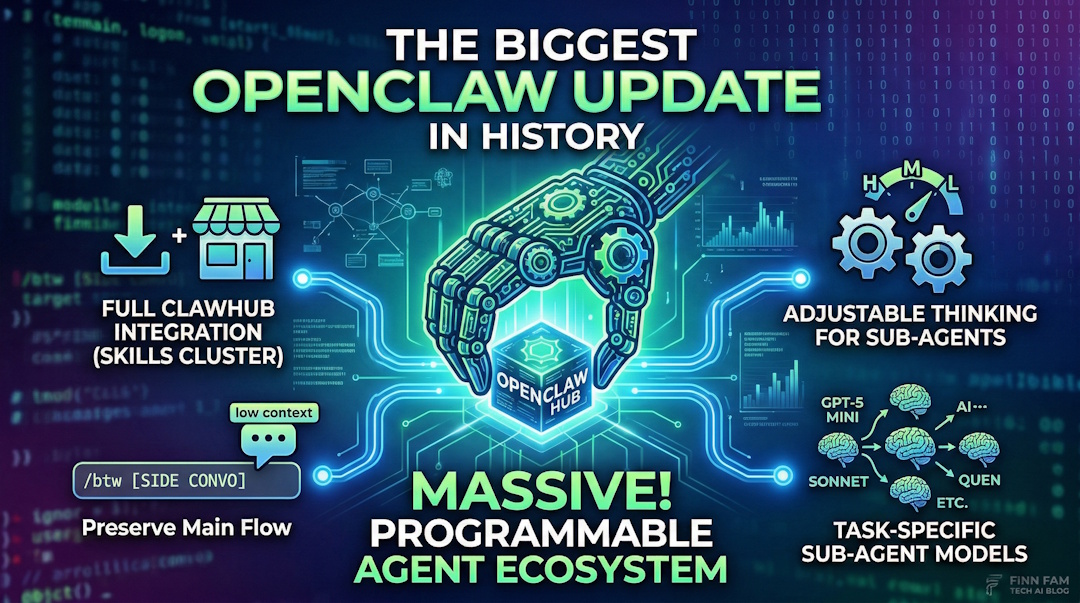
Here’s what I’m covering: the new ClawHub marketplace, the /btw side conversation command, adjustable thinking and model selection for sub-agents, session bloat management, and 30+ security patches. Every section has something you can act on today.
ClawHub: Your New Skills Marketplace
This is the headline feature, and it deserves to be.
ClawHub is now the default plugin and skills marketplace for OpenClaw. Before this update, installing skills was a bit scattered. You’d find them on GitHub, npm, random repos, community threads. Some worked great. Some were outdated. Some were, frankly, dangerous.
Now there’s a centralized place. And it’s built right into the CLI.
How It Works
Open your terminal and run:
clawhub search [query]That’s it. You search, you find skills, you install them. ClawHub is now the first place OpenClaw looks when you install a plugin. It checks ClawHub before falling back to npm. As of this week, there are over 13,700 skills available covering everything from developer workflows to personal productivity to smart home control to finance and investing.
13,700 skills. Let that sink in.
The categories are broad too. I’ve seen skills for GitHub PR workflows, Jira ticket management, smart home automation with Home Assistant, stock portfolio tracking, email summarization, calendar management, and dozens of niche developer tools I didn’t even know I wanted. The ecosystem has exploded in ways I genuinely didn’t expect when I first started using OpenClaw.
The Security Problem (And How ClawHub Addresses It)
Now, before you get excited and start installing everything, we need to talk about security. Earlier audits found that 10.8% of plugins in the broader ecosystem were malicious. That’s roughly one in ten. Not great.
ClawHub addresses this with built-in security checkers that scan skills before they’re made available. There’s also ClawNet by Silverfort, a security plugin that scans SKILL.md content and scripts for suspicious patterns before allowing installs on your machine. If you’re running OpenClaw for business workflows, you should absolutely have ClawNet enabled.
But I want to share a workflow that I think is even smarter.
My Recommended Approach for Installing Skills
Don’t just install skills blindly. Even with security scanning, you’re giving code access to your system. Here’s what I do, and it’s the same approach Alex Finn demonstrated on his livestream:
- Search ClawHub for the skill you want
- Look at the skill’s source code and SKILL.md file
- Give the skill link to your OpenClaw and have it analyze the code
- Then have your OpenClaw build its own version based on what it learned
Yes, this takes more time than clicking “install.” But you end up with a skill you actually understand, built specifically for your setup, with no hidden surprises. Alex built a custom ClawHub UI inside his mission control dashboard during his livestream using exactly this approach. He’d find a skill, have his OpenClaw analyze it, then rebuild it tailored to his workflow.
Is this overkill for a simple weather skill? Probably. But for anything that touches your files, your APIs, or your credentials? Do the extra step. You’ll sleep better knowing exactly what’s running on your machine.
The point isn’t to avoid ClawHub. It’s a fantastic resource. The point is to treat skill installation the way you’d treat installing any software on your production machine. With intention.
/btw: The Side Conversation Fix
This one is small but brilliant.
Here’s the problem it solves. You’re deep in a complex conversation with your OpenClaw. Maybe you’re working through a multi-step automation, or debugging a tricky issue, or building out a project. Your context is rich with all the relevant details.
Then you think of something completely unrelated. “Hey, what’s the weather going to be like tomorrow?” Or “Remind me, what’s the syntax for that Python library again?”
Before this update, you had two bad options. You could ask the question inside your current conversation and watch it pollute your context with irrelevant information. Every tangent became part of the conversation’s memory, affecting future responses and eating up tokens. Or you could open a new session entirely and lose all the context you’d carefully built up. Neither option was good.
The /btw command fixes this.
Type /btw followed by your question. OpenClaw handles it as a lightweight side conversation. It doesn’t store into your main context. It doesn’t use tools. It doesn’t consume excessive tokens. You get your answer, and then you’re right back in your original conversation like nothing happened.
If you’ve ever been frustrated by context pollution (and if you use OpenClaw heavily, you have been), this is the fix you didn’t know you were waiting for. It’s one of those features that sounds trivial until you use it. Then you wonder how you ever worked without it.
I’ll give you a real example from my own usage. I was in the middle of a complex research task with my OpenClaw, building out a detailed analysis. Halfway through, I remembered I needed to check something about a completely unrelated project. Before /btw, I would have either interrupted my flow (and watched my context get muddied with irrelevant information) or mentally bookmarked it and tried to remember later. Now I just type /btw what's the status of X and I get my answer without losing a single thread of the work I was doing. Small change. Big quality of life improvement.
Adjustable Thinking + Different Models for Sub-Agents
I’m combining these two features into one section because they work together, and together they’re going to save heavy OpenClaw users a significant amount of money.
The Cost Problem
If you’re running OpenClaw the way I do, you probably have multiple sub-agents handling different tasks. Some of those tasks are complex. They need deep reasoning. But a lot of them are simple. Web searches. Data scraping. File organization. Basic lookups.
Before this update, every sub-agent inherited whatever thinking level and model your main agent was using. Running Claude Opus 4.6 as your orchestrator? Great. But your little web-scanning sub-agent was also running on Opus 4.6 with high thinking enabled. That’s like using a Formula 1 car to go pick up groceries.
Adjustable Thinking Levels
You can now set thinking levels independently for each sub-agent. Your main orchestrator can run at high thinking while your scanning agents run at low or medium. The thinking levels in OpenClaw are low, medium, and high, and the token cost differences between them are substantial.
Think about it this way. If you have five sub-agents doing research tasks, and each one was previously burning high-thinking tokens, dropping them to medium or low thinking cuts your costs dramatically without meaningfully impacting the quality of their output. They’re searching the web. They don’t need to think deeply about it.
Different Models Per Sub-Agent
This is the bigger one. You can now assign completely different AI models to different sub-agents.
OpenClaw v2026.3.22 adds support for GPT-5.4-mini and GPT-5.4-nano. These models are fast, cheap, and more than capable for simple tasks. So now you can run Claude Opus 4.6 as your main brain (which is what I do, and what Alex Finn does, because Opus finishes tasks reliably) while assigning GPT-5.4-mini or nano to your worker sub-agents.
Alex tested GPT-5.4 as a primary OpenClaw brain during his livestream. His conclusion was interesting. He said it’s smarter and faster than Claude in some ways, but it doesn’t finish tasks as reliably. Opus just gets things done. So his recommendation, and mine, is to keep Opus as your orchestrator and use the cheaper models where raw task completion matters less.
The combination of adjustable thinking AND different models means you can architect your OpenClaw setup the same way you’d architect a team. Your senior architect doesn’t do data entry. Your intern doesn’t design the system. Match the resource to the task.
For context on why this matters financially: Claude Opus 4.6 now supports a 1 million token context window via the API. That’s incredible for complex work. But it also means costs can add up fast when every sub-agent is running on that same model with maximum thinking. The ability to offload simpler work to cheaper, faster models is going to be the difference between people who can afford to run OpenClaw at scale and people who can’t. This update makes the economics work for serious users.
If you want a deeper dive on the cost dynamics of running AI agents, I broke that down in my post on the real cost of AI coding agents in 2026. The math applies here too.
Session Bloat: The Hidden Performance Killer
This section might be the most important one in this entire post. Not because it’s the most exciting feature, but because it’s probably affecting you right now and you don’t know it.
The Problem
Every time a cron job runs in OpenClaw, it creates a session record. That session gets stored in your context. If you’re running 20 to 40 cron jobs per day (which isn’t unusual if you’ve set up automations for your business), that’s 20 to 40 new session files accumulating every single day.
After a week? You’ve got 140 to 280 session records sitting in your context. After a month? Over a thousand.
Each one of those sessions gets loaded into context. Each one consumes tokens. Each one makes your OpenClaw slightly slower, slightly more expensive to run.
I noticed my instance had been getting progressively slower over the past few weeks. I couldn’t figure out why. Then I checked my session files after reading the release notes for this update. Hundreds of old cron session records. Just sitting there. Doing nothing except burning tokens and slowing things down.
The Fix
First, tell your OpenClaw to audit and clean up old sessions. Just ask it. It can identify and remove stale session records.
Second, and this is the proper long-term fix, use the new cron.sessionRetention setting. The default is 24 hours, which means session records from cron jobs get automatically pruned after a day. If you haven’t configured this yet, do it now.
If you’ve been troubleshooting performance issues and nothing seemed to help, this might be your answer. It was mine.
The release also adds exponential retry backoff for recurring cron jobs after errors. Previously, a failing cron job would keep retrying at the same interval, creating even more session bloat. Now it backs off from 30 seconds up to 60 minutes, which is both smarter and less wasteful.
Alex Finn mentioned on his livestream that session cleanup was the single biggest performance improvement he saw after updating. He’s running even more cron jobs than I am, so the impact was dramatic for him. If your OpenClaw feels slower than it used to, check your sessions before you blame the model or your hardware.
The 30+ Security Patches You Should Know About
I’ll keep this section focused, but these matter. Especially if you’re using OpenClaw in any kind of professional or enterprise context.
What Got Patched
Version 2026.3.22 includes over 30 security hardening patches. That’s not a typo. Thirty-plus patches in a single release. The most notable one blocks a Windows SMB credential leak that could have exposed credentials through crafted file paths. This is the kind of vulnerability that can go from “theoretical risk” to “your credentials are compromised” very quickly. If you’re running OpenClaw on Windows, update immediately. Not tomorrow. Now.
ClawNet and the Plugin SDK
I mentioned ClawNet by Silverfort earlier in the ClawHub section, but it deserves emphasis here too. ClawNet scans SKILL.md files and scripts for suspicious patterns before allowing plugin installs. Given that 10.8% malicious plugin rate from earlier audits, this isn’t optional security. It’s essential.
The Plugin SDK also got a complete overhaul. There’s now a public plugin SDK at openclaw/plugin-sdk/* that standardizes how plugins interact with the OpenClaw core. For developers building skills, this means clearer guidelines and better security boundaries. For users, it means plugins built with the new SDK are inherently safer.
Additional Security Improvements
There’s also a new pluggable sandbox backend system, including an OpenShell backend, that gives you more control over how plugins execute. Gateway cold starts have been reduced from minutes to seconds, which matters for reliability. And Anthropic models are now available via Google Cloud Vertex AI, which gives enterprise users an alternative pathway that may help with the ongoing concerns about Anthropic usage limits for heavy users.
New bundled web search providers also landed in this release: Chutes, Exa, Tavily, and Firecrawl. More options for how your AI agent accesses the web means less dependency on any single provider. And if one provider goes down or starts rate-limiting you, your OpenClaw can fall back to alternatives automatically. That’s resilience, and it matters when you’re relying on these tools for real work.
What I’m Doing Differently After This Update
I’ve already made changes to my setup based on this release, and I want to share what I did so you can decide what makes sense for your own workflows.
First, I cleaned up my sessions. This was the immediate win. I had weeks of accumulated cron session records. Clearing them out made a noticeable difference in response times. I also set cron.sessionRetention to 24 hours so this doesn’t happen again.
Second, I restructured my sub-agent models. My main orchestrator stays on Claude Opus 4.6. I moved my simpler sub-agents to GPT-5.4-mini. For basic tasks like web lookups and file scanning, mini is more than sufficient. I also dropped their thinking levels to low. The cost savings across a full day of operation are real.
Third, I installed ClawNet. I was already careful about what skills I install, but having an automated security scanner adds a layer of protection I’m comfortable relying on. Between ClawNet scanning and my workflow of having OpenClaw analyze then rebuild skills from ClawHub, I feel good about the security posture.
Fourth, I started using /btw constantly. I didn’t think I needed this feature until I started using it. Now I use it multiple times a day. Quick questions, random lookups, things I’d previously have opened a browser for. It keeps my main conversations clean and focused.
Fifth, I’m being more intentional about ClawHub skills. I went through my existing skills and identified a few I’d installed months ago that I wasn’t even using anymore. Removed those. For new skills, I’m following the analyze-then-rebuild workflow I described earlier. It takes more upfront effort, but the skills I end up with are better tailored to my specific setup.
If you haven’t updated to v2026.3.22 yet, here’s my recommendation: update, clean your sessions first, then work through the sub-agent optimization. Those two things alone will make your OpenClaw faster and cheaper. Everything else is a bonus.
If you’re running OpenClaw for any serious workload, this update isn’t optional. The session cleanup alone will pay for the five minutes it takes to upgrade.
For anyone still on the fence about OpenClaw in general, I wrote a comparison with Perplexity Computer and a breakdown of Claude Co-work vs OpenClaw that might help you decide if it’s right for your use case. And if you want to understand the broader competitive landscape, my GPT-5.4 vs Claude Co-work vs OpenClaw comparison covers where each tool excels.
Your Turn To Share
Have you updated to v2026.3.22 yet? I’m genuinely curious what your experience has been. Did you check your session files? How bad was the bloat? And if you’ve been experimenting with different models for sub-agents, which combinations are working best for you?
I’m especially interested in hearing from anyone who’s tried GPT-5.4-nano for sub-agent work. I haven’t tested nano extensively yet, and I’d love to know how it holds up for basic tasks compared to mini. Drop a comment below. I read every one.